
If you wish to cancel your subscription to Instant Popup Builder, you can easily do so directly from your account settings. Follow the steps below to manage your subscription.
Steps to Cancel Your Subscription:
-
Log In to Your Account:
Go to the Instant Popup Builder My Account and log in to your account. -
Access the Subscription Section:
Once logged in, click on Subscriptions. -
Select the Subscription You Want to Cancel:
Locate the subscription you wish to cancel and click Cancel Subscription.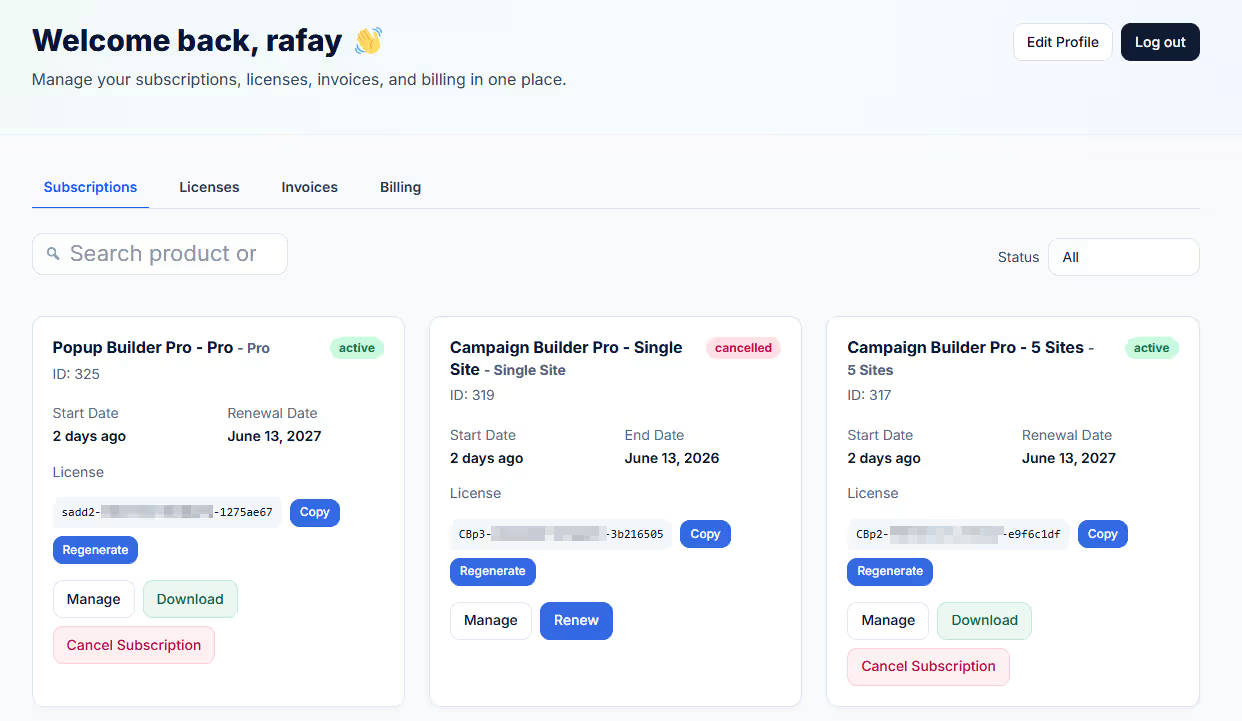
Important Note: After cancellation, you will still have access to your purchased extension(s) or bundle until the end of your current billing period, according to your subscription details.